 Wise Penny
 Wise PennySign in
Connect ChatGPT
Connect OpenAI's ChatGPT to your Wise Penny account so it can analyze your spending, spot patterns, and answer questions about your finances.
Before you start
- You need a Wise Penny account with at least one bank account connected.
- You need a ChatGPT Plus, Pro, or Team subscription (MCP connections require a paid plan).
- Use desktop — ChatGPT's mobile apps can't add custom apps.
Open Apps settings
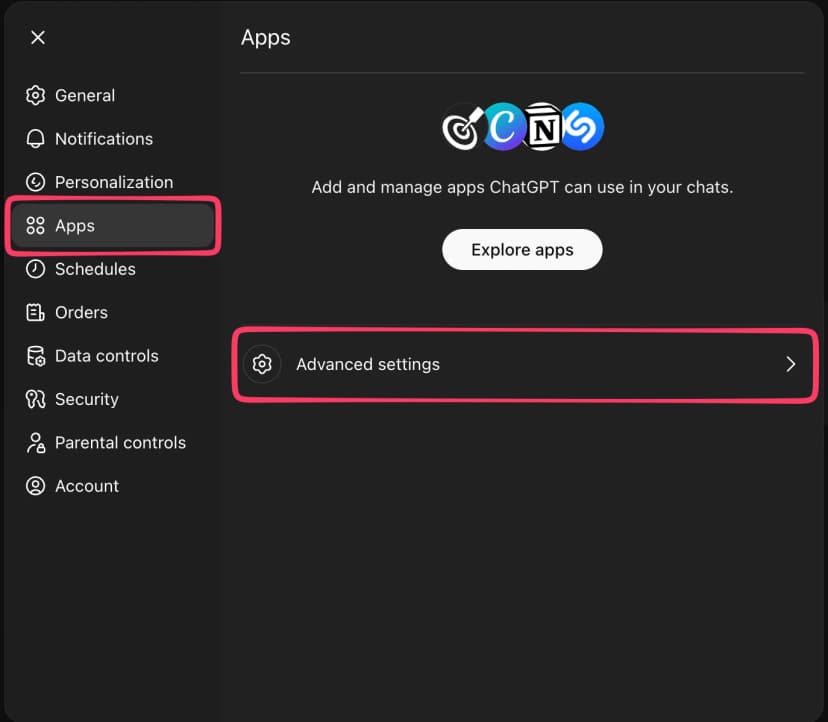
Open chatgpt.com. Click your profile picture in the top-right corner, then select Settings. In the Settings panel, click Apps in the left sidebar, then click Advanced settings.
Enable Developer mode
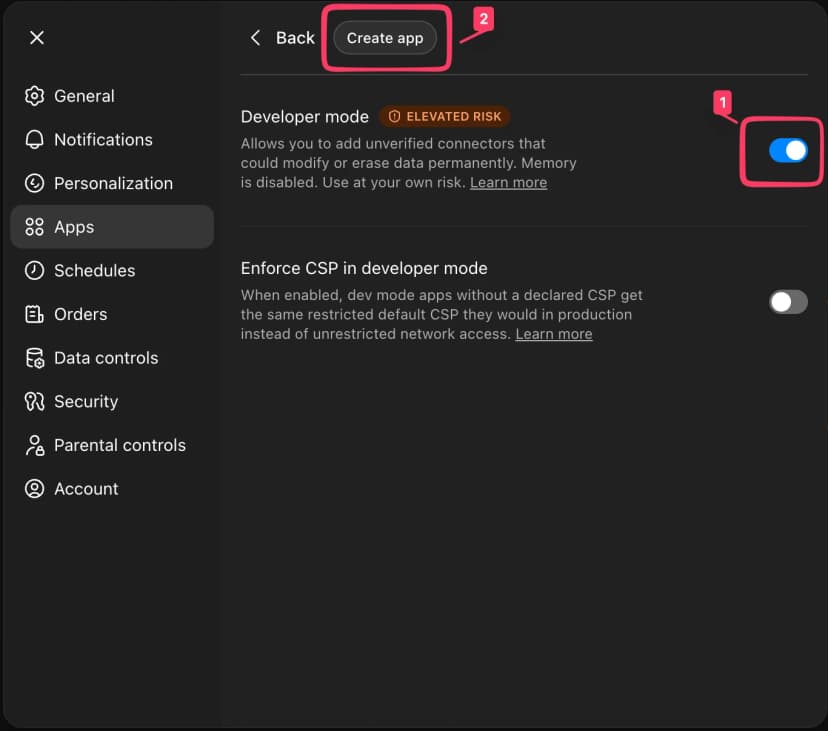
Turn on the Developer mode toggle, then click Create app at the top.
Create the Wise Penny app
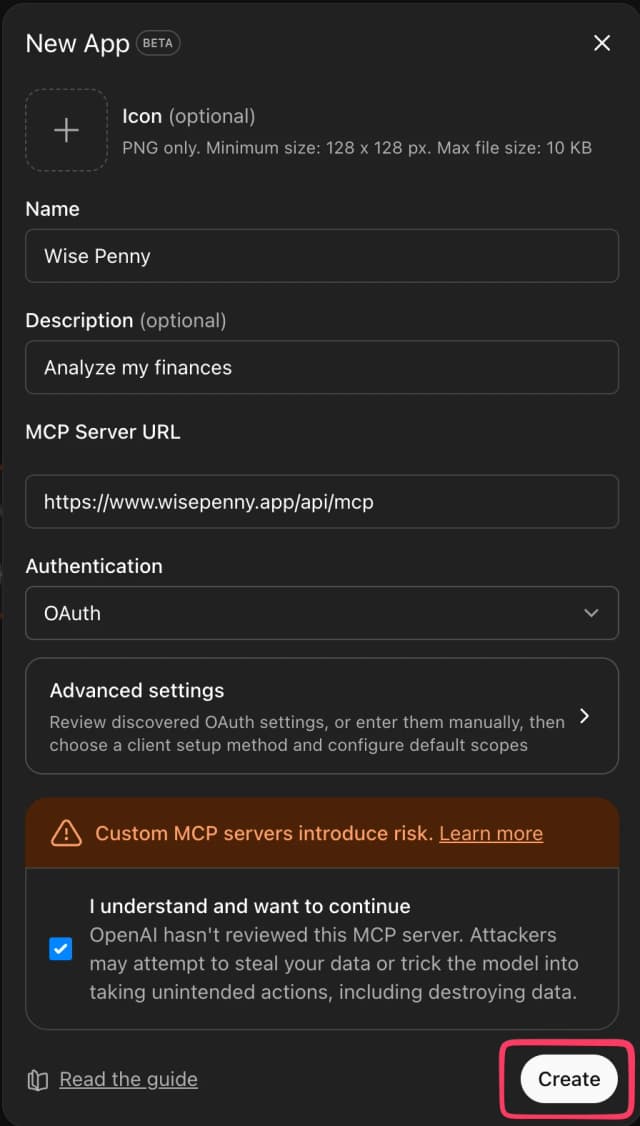
Fill in the form:
- Name: Wise Penny
- MCP Server URL:
https://www.wisepenny.app/api/mcp - Authentication: OAuth
Check the I understand and want to continue box, then click Create.

Authorize access
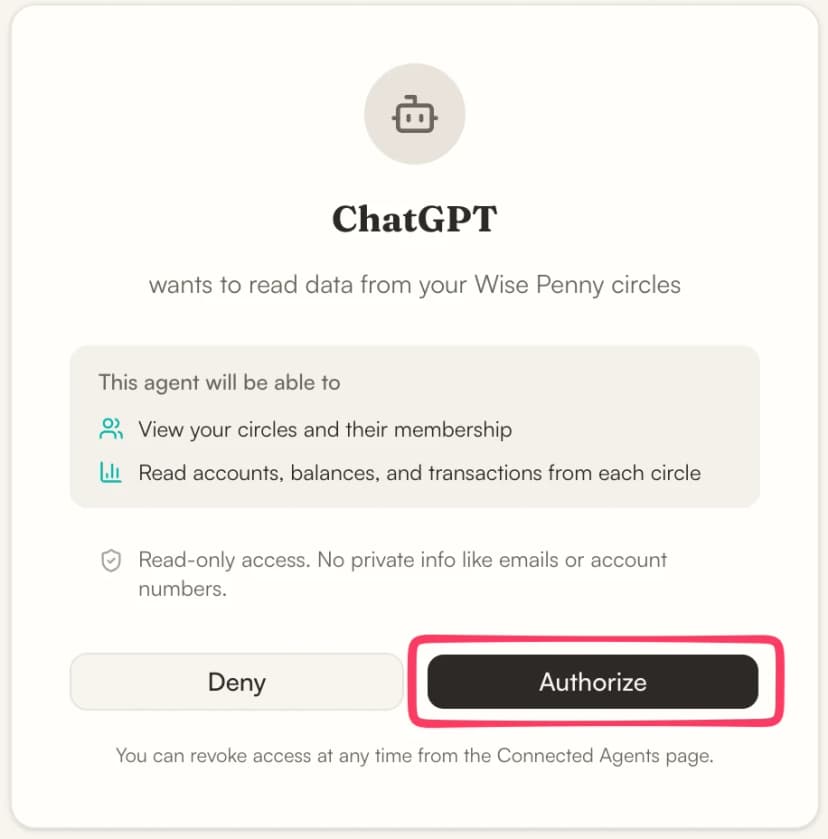
A Wise Penny authorization page will open in your browser. Review the permissions and click Authorize to grant ChatGPT read-only access to your circles.
You can revoke access any time from your AI Apps page.
Start asking questions
You're all set. Start a new chat and try something like:
or you can let ChatGPT help you explore:
Try our guided workflows — pre-configured workflows that let ChatGPT organize your finances, run a monthly analysis, and more.